Family Member ના Phone પર Safe Zones Set Up કરો — એને Touch કર્યા વગર
તાજેતર સુધી, Safe Zones ફક્ત તમારા own device પર જ કામ કરતા હતા — બધાએ પોતાના Home, School, કે Office zones setup કરવા પડતા. હવે એ બદલાયું છે. Guardians હવે એમના circle માં ગમે તેના માટે remotely Safe Zones add અને manage કરી શકે છે.
Safe Zone શું છે, ઝડપથી
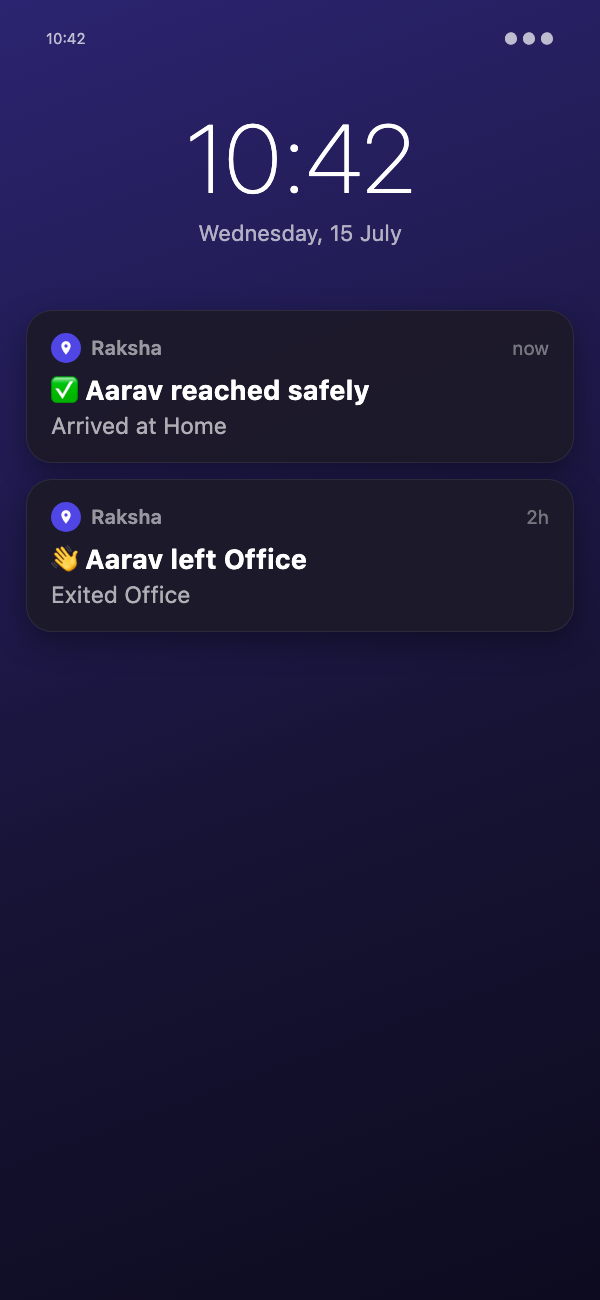
Safe Zone એ real place — home, school, office, અથવા બીજી કોઈ matter કરતી જગ્યા — ની આસપાસ ની virtual boundary છે. Raksha background માં ચૂપચાપ watch કરે છે અને device એ boundary માં enter કે exit થાય એ દરેક વખતે soft notification મોકલે છે. કોઈ full-screen ring નહીં, siren નહીં — ફક્ત circle ના બધા ને એક quiet "Aarav left Home" કે "Aarav arrived at School" push.
એ જ Arrival Alarm થી key difference છે: Safe Zones એ જગ્યાઓ માટે છે જે તમે વારંવાર check કરો છો — home, school, work. Arrival Alarm એક single trip પર એક-વખત ના loud alert માટે છે, જેમ કે "cab airport પર પહોંચે ત્યારે તરત મને જણાવો."
Remote Setup ખરેખર કેમ Matter કરે છે
- બાળક નો phone setup કરવો — બાળકોને હંમેશા પોતાનું home address કે school ની exact boundary ખબર નથી હોતી. હવે parent એમના પોતાના phone થી એમના માટે એ કરી શકે.
- UI થી unfamiliar elderly parents — Phone call પર elderly parent ને sliders અને map pins થી ચલાવવાની જરૂર નથી — તમે જાતે setup કરો અને એ એમના device પર automatically શરૂ થાય.
- Device પહેલેથી hand over થયેલું — Hostel પર બાળક પાસે કે બીજા city માં parent પાસે phone પહેલેથી હોય તો, zone add કરવા માટે એ તમારા હાથ માં પાછું જોઈએ નહીં.
- નવી school, નવું home — City move કરી, કે બાળક એ નવી school માં start કર્યું? એમને in-person મળવાની રાહ જોયા વગર, એ જ દિવસે remotely એમના zones update કરો.
કોઈ Zone Add કર્યા પહેલાં એ કેવું દેખાય છે
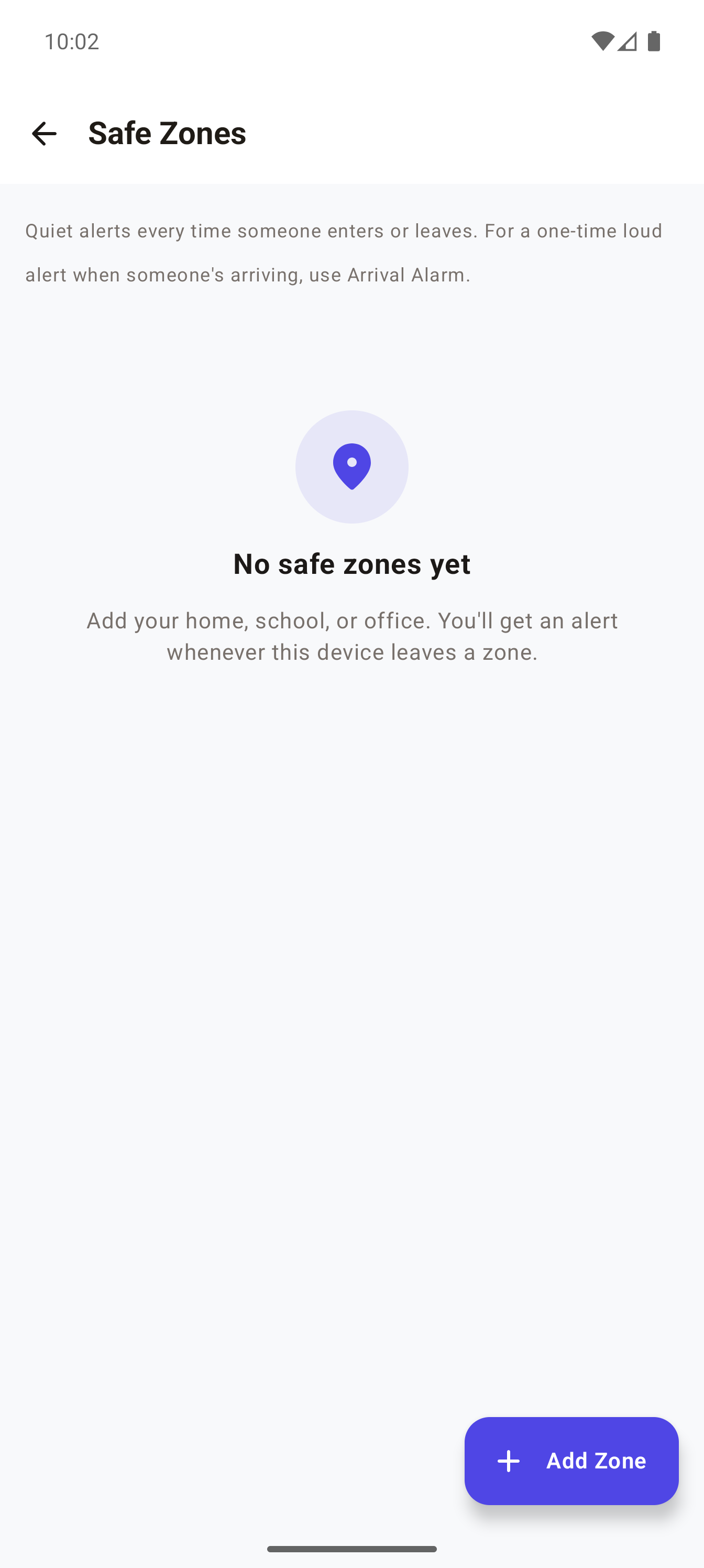
Safe Zones પહેલી વાર ખોલવાથી — તમારું પોતાનું device હોય કે family member નું — ઓછામાં ઓછું એક zone add ન થાય ત્યાં સુધી empty state દેખાય:
Family Member માટે Safe Zone કઈ રીતે Set Up કરવું
લગભગ 2 minutes લાગે છે
- Raksha ખોલો અને Circle tab પર જાવ
- જે family member માટે zone set કરવું છે એને tap કરો
- View full details tap કરો
- Explore હેઠળ, Safe Zones tap કરો
- Add Zone (bottom right) tap કરો
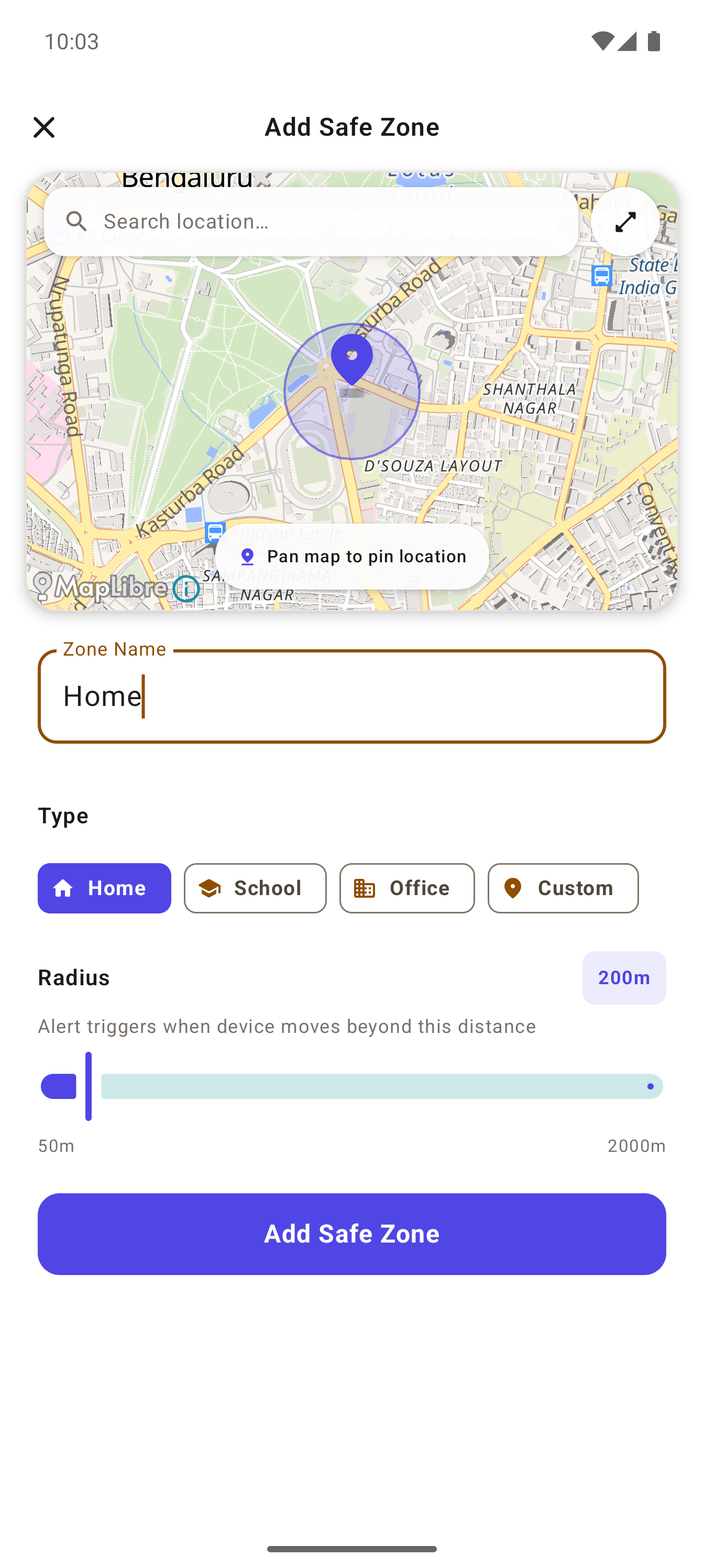
- pin બરાબર spot પર ના આવે ત્યાં સુધી map pan કરો — pan કરવા કરતાં સહેલું હોય તો name થી search કરો
- Zone Name type કરો (required — "Home", "School", વગેરે)
- Type pick કરો — Home, School, Office, અથવા Custom
- slider થી Radius adjust કરો — drag કરો ત્યારે map પર live circle resize થતું જુઓ
- Add Safe Zone tap કરો
એમના End પર શું થાય છે
કંઈ disruptive નહીં. Zone એમના device online થાય એ next time automatically sync થાય છે — કોઈ approval prompt નહીં, એમના phone પર કોઈ popup નહીં. એમને કંઈ કરવાની જરૂર જ નથી; ત્યાર થી quiet enter/exit notifications family circle ને જવાનું start થાય.
FAQ
Q: આ setup કરવા મારે એમનો phone જોઈએ?
A: ના — remote setup નો આખો point એ જ છે. તમારે ફક્ત એ તમારા Raksha circle માં હોવા જોઈએ. Zone automatically એમના device પર push થાય.
Q: હું હજુ પણ મારા પોતાના device માટે જૂની રીતે zones set કરી શકું?
A: હા — તમારા પોતાના device માટે Safe Zones બરાબર પહેલાની જેમ કામ કરે છે, Settings → Safe Zones થી.
Q: એક device માં કેટલા zones હોઈ શકે?
A: Device દીઠ 5 સુધી, ભલે તમે જાતે setup કરો કે family member માટે remotely.
Q: ઘર છોડે ત્યારે દર વખતે loud alert આવશે?
A: ના — Safe Zone notifications quiet pushes છે, full-screen ring નહીં. ચોક્કસ trip માટે એક-વખત નું loud alert જોઈએ તો, Arrival Alarm વાપરો.
Q: આનાથી એમની battery drain થાય?
A: પહેલાં કરતાં વધુ નહીં — zone કોણે set કર્યું છે એને ધ્યાનમાં લીધા વગર, Safe Zones એમના device પર Android ના low-power geofencing API વાપરે છે.