Raksha કઈ રીતે વાપરવો: પારિવારિક સુરક્ષા સંપૂર્ણ Setup ગાઇડ
App install કરવાથી family members ઉમેરવા, SOS trigger, remote controls સુધી — તમારા પરિવાર માટે Raksha ચલાવવા જે જાણવું જોઈએ.
પગલું ૧: Install અને Sign In
Google Play Store થી Raksha download કરો. App install free.
- App ખોલો — Raksha onboarding screens
- Get Started tap
- Indian mobile number — OTP verification
- 6-digit OTP
- નામ — family members map પર આ નામ જોશે
દરેક family member ને પોતાનો account. દરેક ફોન પર Raksha install, અલગ sign in.
પગલું ૨: જરૂરી Permissions આપો
Sign in પછી Raksha permissions screen. App ચાલવા માટે જરૂરી.
Location — Always Allow (સૌથી મહત્ત્વનું)
"Allow all the time" પસંદ — "While using" નહીં. Screen off — location update ચાલુ.
Notifications — SOS alerts, emergency.
Phone Access — SIM number automatic.
Camera — Anti-theft snapshots.
Unrestricted Background Activity — Battery settings. Raksha → Unrestricted. Motorola, Xiaomi, Samsung — critical.
Skip કર્યું: ૫–૧૫ min screen off → location stop.
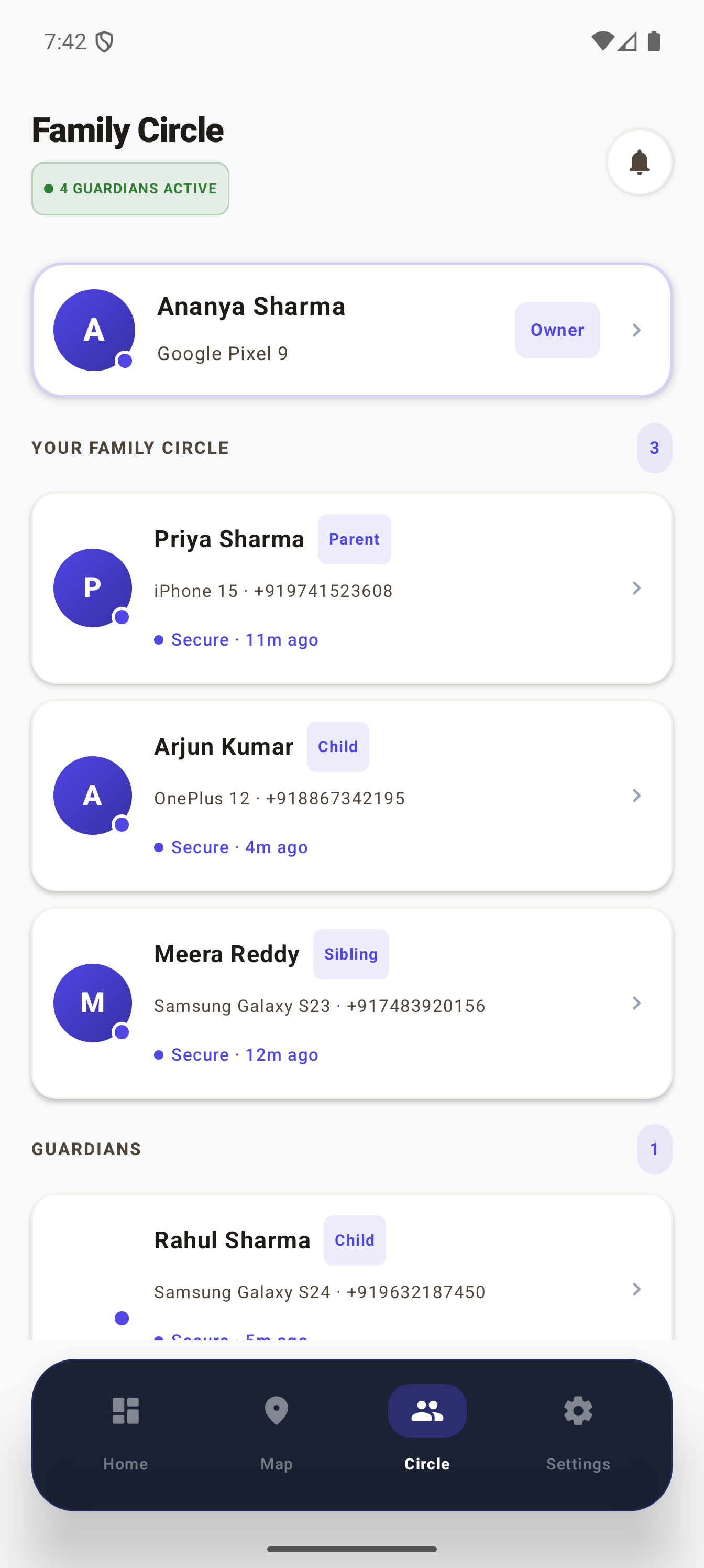
પગલું ૩: Family Members ઉમેરો
Dashboard → "My Circle" → Add.
- QR code, shareable link
- WhatsApp share / QR scan
- Accept
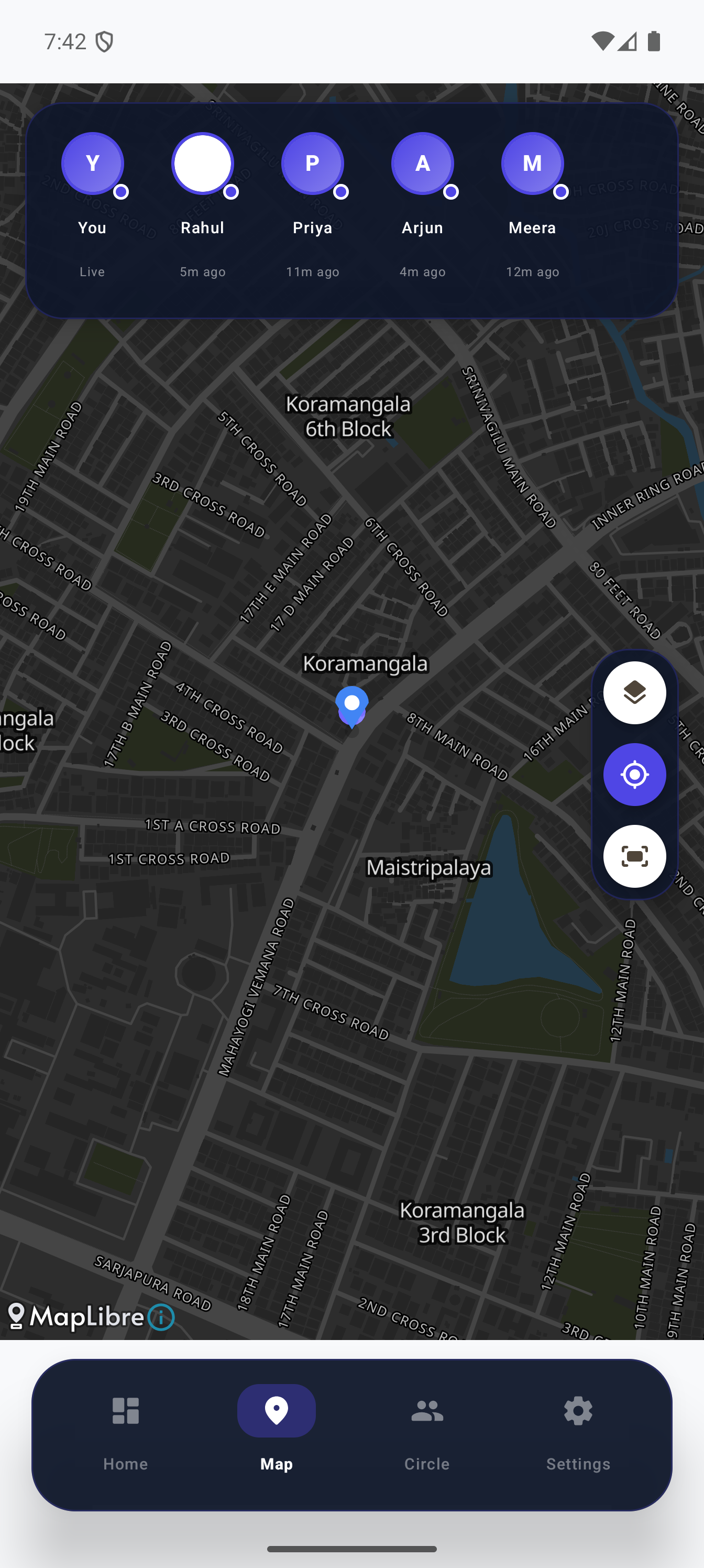
- Map ઉપર mutual visibility
Mutual: Circle member તમારી location જુએ. Hidden tracker નહીં.
પગલું ૪: Guardians (Optional)
SOS alert + remote controls. Circle → member → "Set as Guardian".
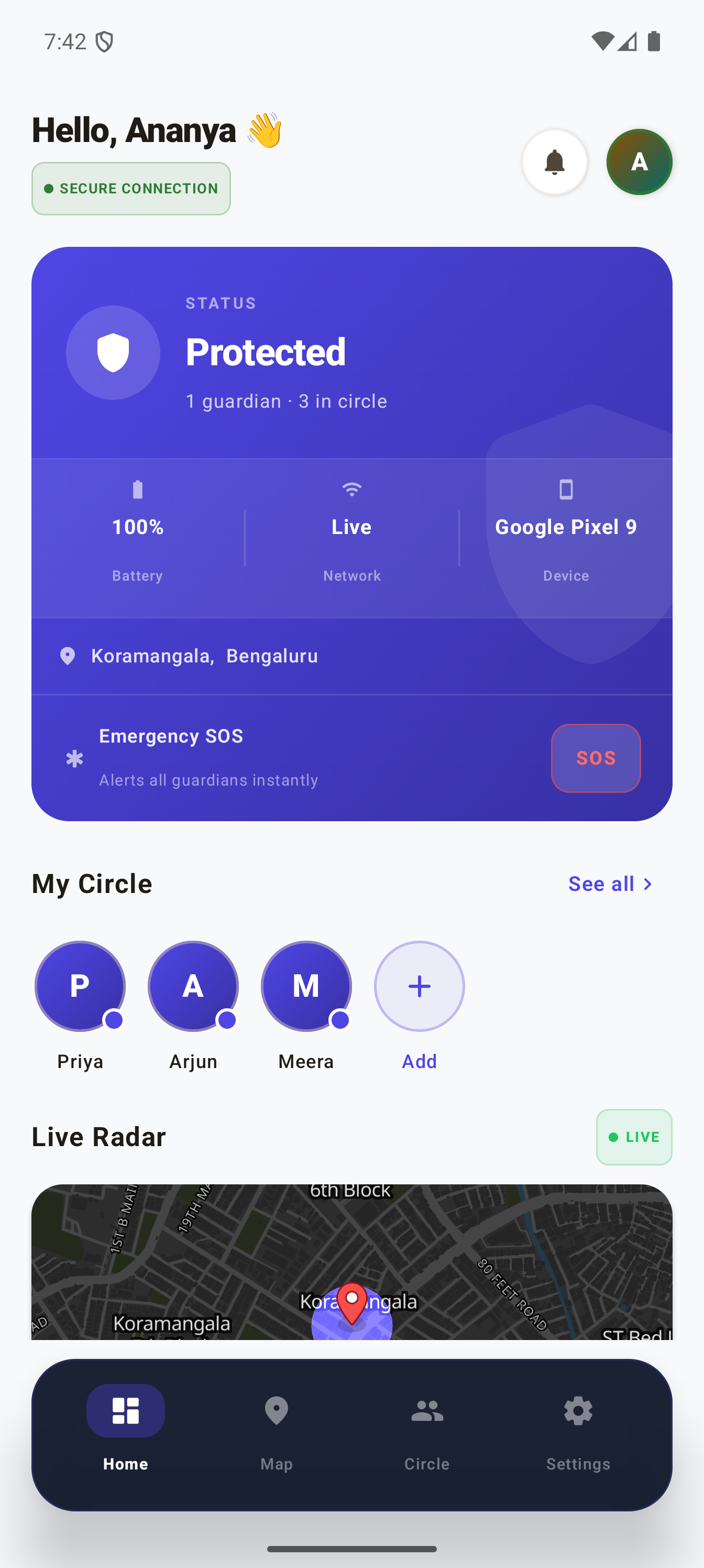
Dashboard
- Status card — location, battery, network
- SOS button — લાલ. Emergency → guardians immediate alert
- My Circle — online status
- Live Radar — mini map
- Recent Activity
SOS Alert
- Guardians loud alert — silent ફોન પર પણ
- Live GPS location
- Anti-theft snapshots
- Lock screen
Shake to SOS — ફોન જોરથી હલાવો. 30 sec cooldown.
Cancel SOS — App → Cancel SOS.
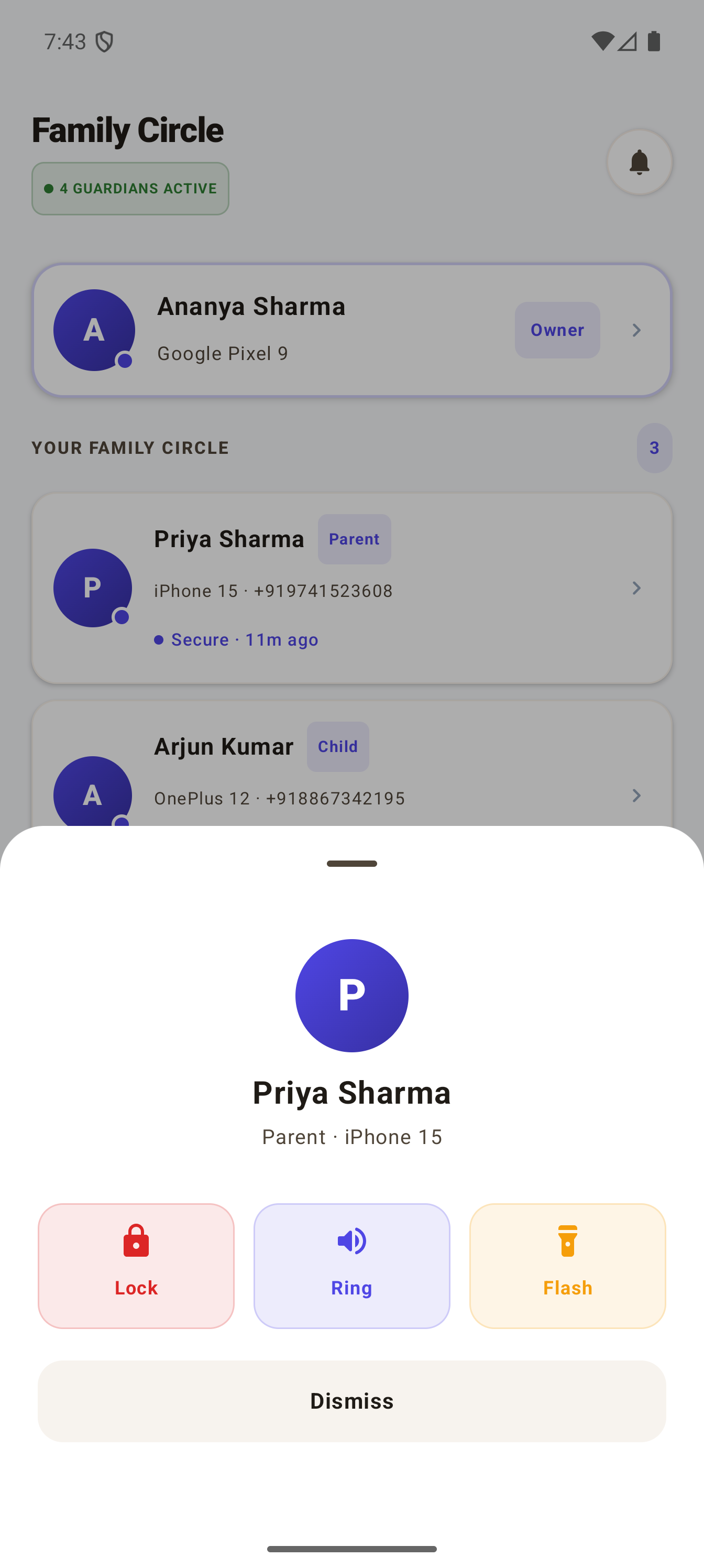
Remote Controls: Ring, Flash, Lock
Ring — Full volume, silent પર પણ.
Flash — Flashlight blink. અંધારે ફોન શોધો.
Remote Lock (Premium) — Lost Mode. Unlock remotely.
Anti-theft Snapshots (Premium) — Front camera, silent.
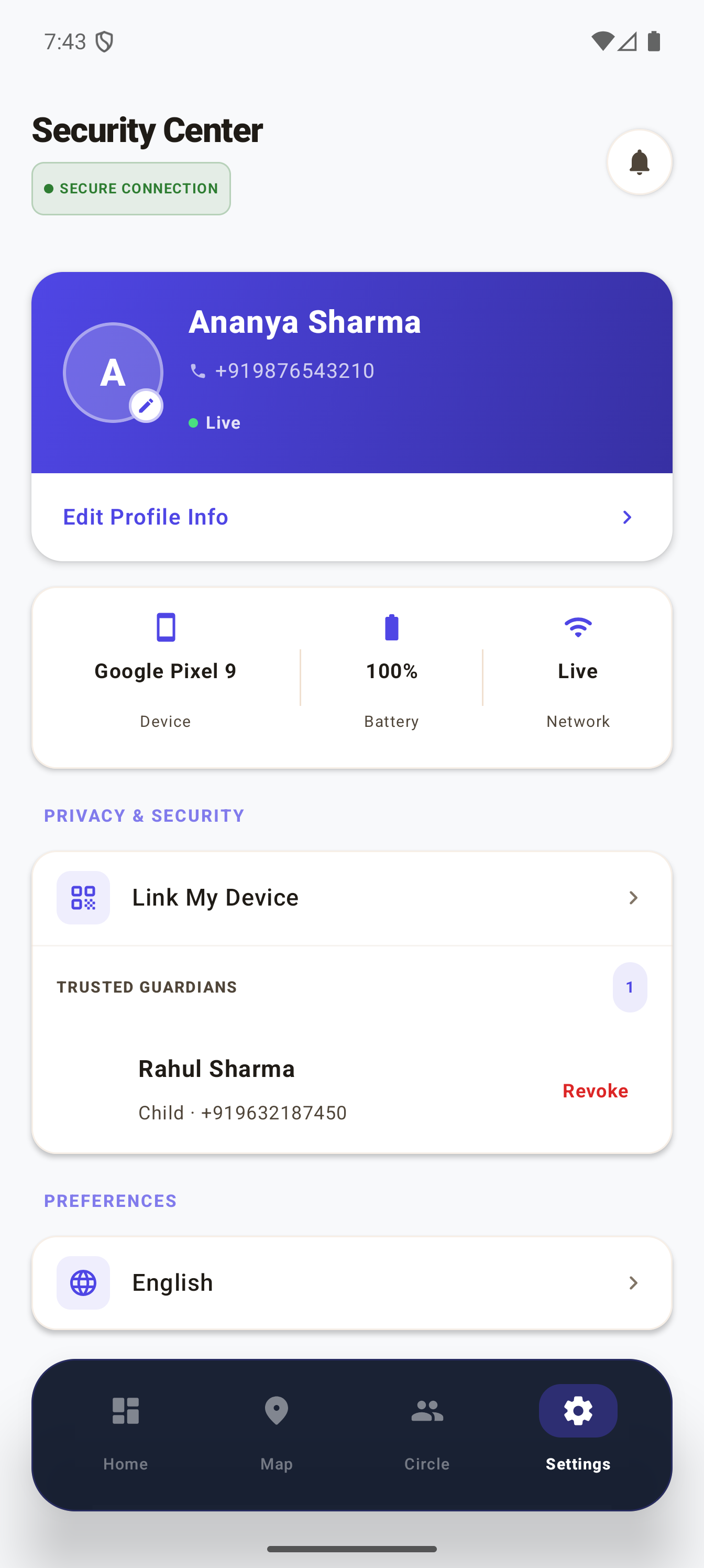
Settings
- Profile edit
- Device details
- Guardians revoke
- Language
- Referral
- Premium upgrade
Location History (Premium)
૨૪ hours — timestamps. Settings → My Location History.
Free vs Premium
- Real-time location — Free, Premium
- SOS alerts — Free, Premium
- Shake to SOS — Free, Premium
- Ring — Free, Premium
- Flash — Free, Premium
- Unlimited members — Free, Premium
- Remote Lock — Premium
- Snapshots — Premium
- Location History — Premium
સામાન્ય સમસ્યાઓ
Location update નહીં → Battery optimization. Settings → Battery → Raksha → Don't optimize.
Ring/Flash/Lock → Target online + Raksha background.
SOS alerts નહીં → Settings → Apps → Raksha → Notifications → Allow.
Map પર member નહીં → Invite accept. Pending → approve.